
What Is a QR Menu and Table Ordering System?
Learn how a QR menu and table ordering system works, what it includes and how restaurants can connect digital menus, ordering and guest service at the table.
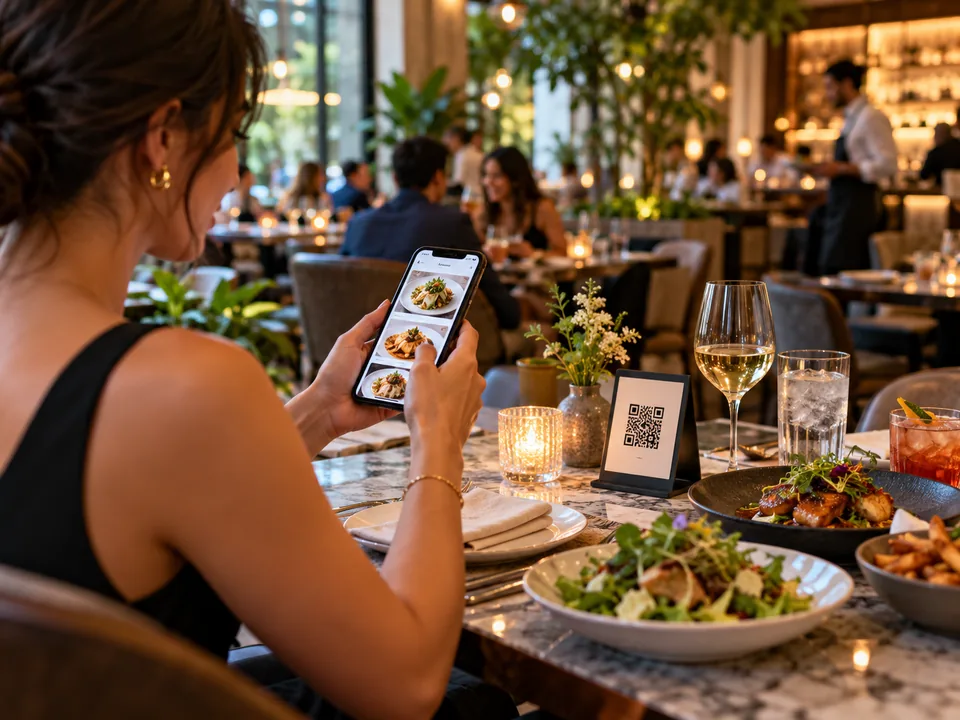
A QR menu and table ordering system gives restaurant guests a direct path from scanning a table QR code to browsing the menu and placing an order from their phone. Unlike a basic QR code that only opens a PDF or static menu, a connected system can understand table context, present structured menu information, support options and modifiers, create an order and keep the guest informed as service progresses.
For restaurants, the important distinction is that the QR code is only the entry point. The real value comes from the digital workflow behind it. A well-designed restaurant QR ordering system connects the guest-facing menu with practical actions such as table ordering, waiter calls, bill requests and live order status.
What a QR menu and table ordering system includes
A complete system normally starts with a structured digital restaurant menu. Dishes can have names, descriptions, prices, images, dietary information, allergens and selectable modifiers. Categories help guests move through the menu without scrolling through one long document, while availability and serving hours can control what is shown at different times.
The ordering layer sits on top of that menu. When a guest scans a code assigned to a table, the system can carry the table context into the session. The guest chooses items, adjusts options, reviews the basket and sends the order without needing to explain the table number again.
This is what separates a QR menu ordering system from a simple digital menu. The menu is not just being displayed. It becomes part of an active service workflow.
How QR table ordering works step by step
- Scan. The guest scans the QR code at the table with the phone camera.
- Browse. The browser opens the restaurant menu with the correct language, categories and available items.
- Customize. The guest can choose sizes, additions, preparation options or other modifiers configured by the restaurant.
- Order. Selected items are added to a basket and sent with table or seat context.
- Service. Restaurant staff receive the order in the operational interface and move it through the configured status flow.
- Stay informed. The guest can see relevant order updates and use actions such as calling a waiter or requesting the bill when those functions are enabled.
The exact workflow varies by restaurant, but the principle is consistent: the guest should be able to move from menu discovery to a clear action with as little friction as possible.
Why table context matters
An order from table QR code experience becomes much more useful when each QR code identifies the table or service point. Without that context, a restaurant may still need the guest to type a table number, choose from a list or wait for staff to confirm where the order belongs.
Table-linked QR codes can also support more advanced flows. Multiple guests may use the same table while placing separate additions to the same dining session. Orders can be organized by time, and seat information can be preserved when a restaurant wants to support split bills or individual ordering.
A digital restaurant menu should be more than a PDF
A PDF can be convenient for publishing a menu online, but it is not optimized for small screens or interactive ordering. Guests often need to zoom, search visually and move back and forth through pages. Updating a PDF also requires replacing the document each time pricing or availability changes.
A structured digital restaurant menu can adapt to mobile screens, keep price and product information consistent and connect directly to actions. It can also support searchable categories, dietary filters, multilingual content and item-level options in ways that are difficult to reproduce in a static file.
What to look for in a table ordering system for restaurants
When evaluating a table ordering system for restaurants, it helps to look beyond the scan itself. Consider whether the platform supports the complete guest journey and the operational needs behind it.
- Mobile-first menu design: dishes, prices and actions should remain clear on different phone sizes.
- Modifiers and options: guests should be able to configure products without creating confusing duplicate items.
- Allergens and dietary information: structured information should be easy to find before ordering.
- Multilingual content: international guests should be able to understand the same menu and service actions in an enabled language.
- Table and seat context: the restaurant should know where the order or request originated.
- Live service actions: waiter calls, bill requests and status information can reduce uncertainty for the guest.
- Restaurant administration: staff need a practical way to manage categories, items, availability, prices and incoming orders.
How multilingual QR menus improve accessibility for international guests
Language is one of the clearest advantages of a structured QR experience. A printed menu may require several physical versions or a dense multilingual layout. A digital system can let the restaurant enable the languages it supports and present one language at a time.
For QRNeto, English is the canonical source language for managed content, while enabled translations can be created and adjusted for each business. This gives the restaurant a consistent base while still allowing guest-facing content to be localized.
Does QR ordering replace restaurant staff?
It does not have to. A good QR workflow can remove repetitive steps while leaving hospitality decisions with the restaurant team. Some guests may prefer to order directly from the table. Others may want help from a waiter. The system can support both by making common actions available digitally while keeping a clear call-waiter path.
The goal is not to remove human service. It is to reduce unnecessary waiting and make routine interactions easier to complete.
Where QRNeto fits
QRNeto Restaurants is designed as a connected guest experience rather than a standalone menu link. The restaurant module combines a multilingual QR menu, table ordering, modifiers, table and seat context, waiter calls, bill requests and order status in one browser-based flow. Restaurants can explore the full QR menu and table ordering solution or compare the format with traditional menus in our guide to QR menus vs printed menus.
Key takeaway
A QR menu and table ordering system is most valuable when it connects menu discovery with the restaurant's real service workflow. The QR code gets the guest into the experience; structured content, table context, ordering logic and communication are what turn that scan into a useful restaurant tool.